


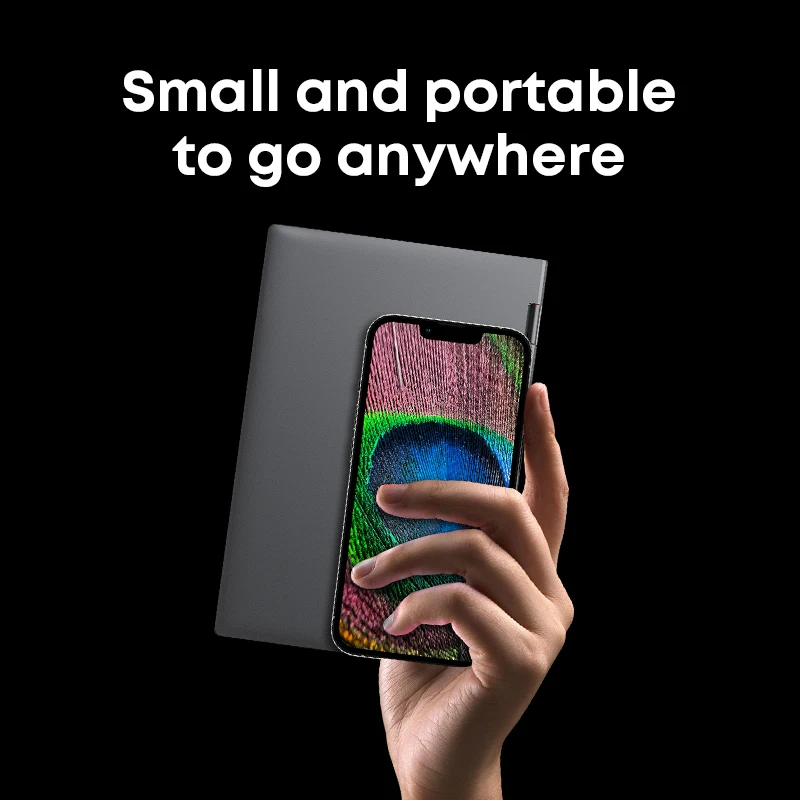
You know that moment when you want a real Windows machine for email, docs, and light multitasking—but you don’t want to haul a full-size laptop? And you also don’t want to give up the flexibility of a tablet-style form factor. That’s exactly the lane a compact 2-in-1 like this aims to fill.
A tiny Windows 2‑in‑1 built for tight spaces
The CHUWI MiniBook X laptop tablet 2 in 1 is positioned as a hybrid: a small-screen computer that can play double duty when you want a more tablet-like setup. The 10.51-inch display keeps the footprint compact, which can be a big deal if you’re working on a small desk, traveling light, or just prefer a device that’s easy to slip into a bag.
And because it runs Windows 11, the experience is geared toward full desktop apps rather than mobile-only alternatives. If your workflow depends on Windows software, this detail matters more than any flashy add-on.
The spec sheet that actually matters day to day
Here’s the thing — on a mini 2-in-1, the practical specs are the ones that influence how it feels during typical tasks like writing, web browsing, and juggling a few apps.
- Processor: Intel N150/N100
- Screen: 10.51" FHD IPS
- Memory: 16GB or 12GB LPDDR5 RAM
- Storage: 512GB SSD
- Operating system: Windows 11
The combination of LPDDR5 memory (in either 16GB or 12GB) and a 512GB SSD is a reassuring baseline for a small Windows device. It suggests you’ll have room for files and a more responsive feel than older storage types. The FHD IPS panel is also a smart pairing for a 10.51-inch size—sharp enough for reading and spreadsheets, with IPS viewing angles that tend to be more forgiving when you shift position.
Where the MiniBook X shines (based on the specs)
Honestly, the appeal of the CHUWI MiniBook X laptop tablet 2 in 1 comes down to balance: compact screen, modern memory type, and SSD storage, all wrapped around Windows 11. For quick work sessions, note-taking, and general productivity, it checks the boxes that usually decide if a small PC feels usable or frustrating.
But the real win is flexibility. A 2-in-1 format can make sense when your day includes switching between typing-focused tasks and more casual reading or viewing. Do you really need a huge laptop for that?
Quick note: a couple of realistic “check this first” items
That said, there are two details you’ll want to confirm before committing. First, the listing presents two RAM options (16GB or 12GB), so it’s worth double-checking you’re selecting the configuration you actually want. Second, while the processor is listed as Intel N150/N100, make sure the exact variant on your order matches your expectations—those small differences can matter for performance.
If you’ve been hunting for a compact Windows 11 hybrid, the CHUWI MiniBook X laptop tablet 2 in 1 is an interesting option on paper. Give the configuration a careful look, and if the size and specs match your daily needs, it could be a convenient little work companion.




Reviews
There are no reviews yet.