

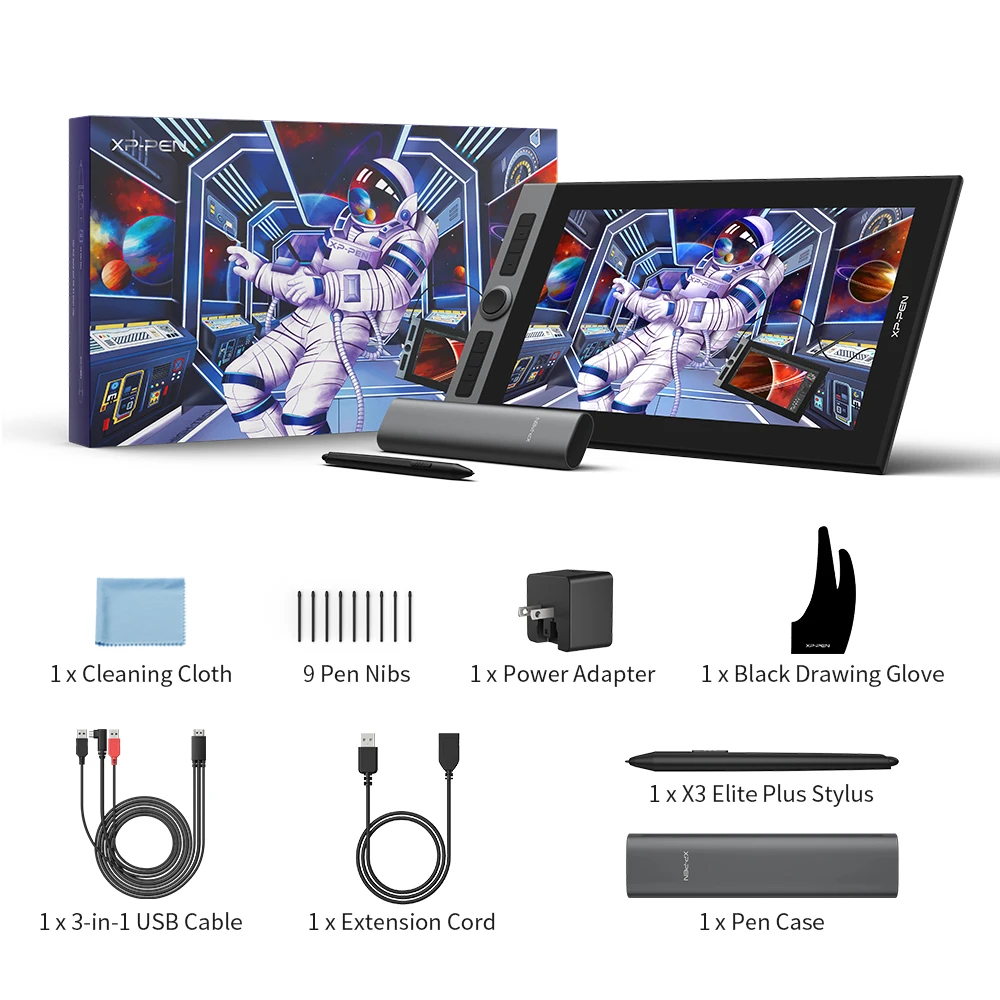
You finally get a stretch of time to draw, open your favorite app, and then realize your current setup is fighting you—tiny workspace, awkward shortcuts, colors that feel a little “off.” If that sounds familiar, a pen display can be the kind of upgrade that makes creating feel natural again.
A 15.6-inch canvas that stays practical on a desk
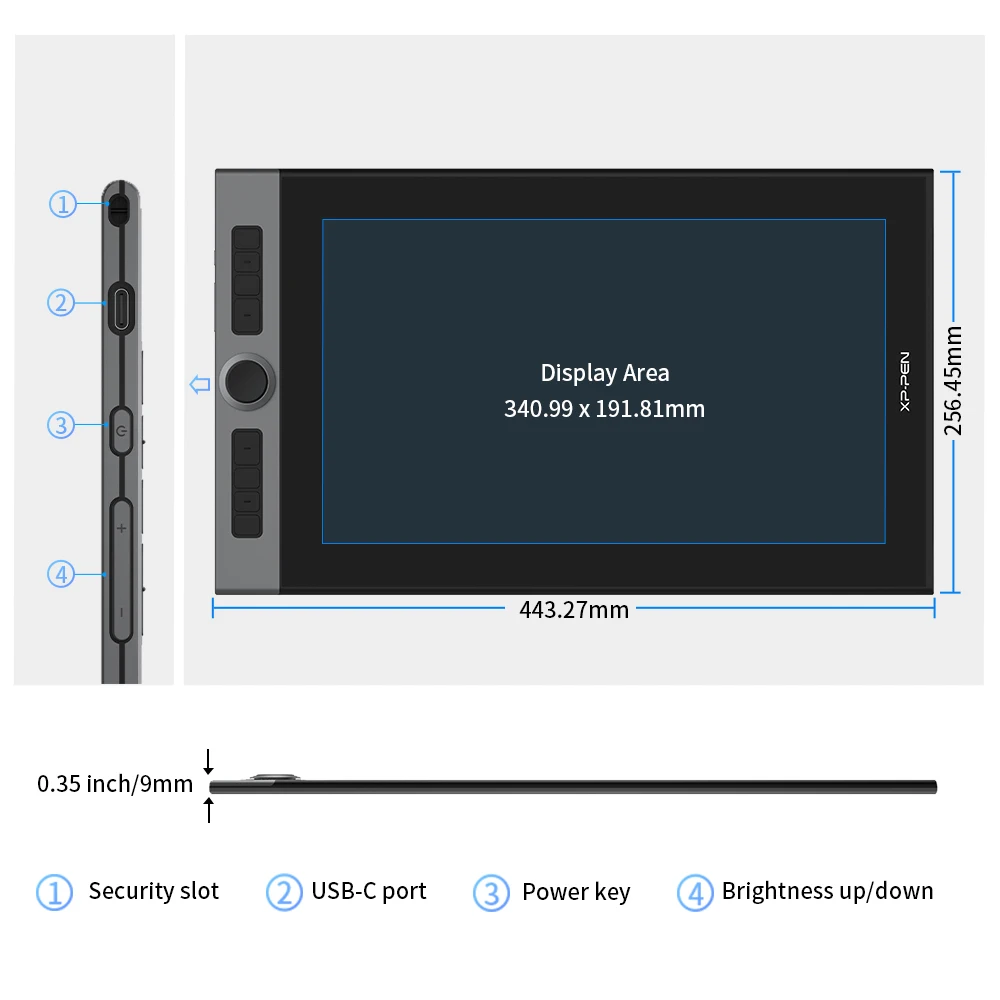
The XPPen Artist Pro 16 is a 15.6-inch graphic tablet monitor that pairs a full HD 1920 x 1080 resolution with an IPS display. That size is a sweet spot for many artists: big enough to sketch and refine details without constant zooming, yet still reasonable for a home workstation. And at about 1.5 kg with a slim 0.5-inch profile, it reads as “moveable” rather than “permanently parked.” Want a drawing display you can shift between rooms or pack away after a session? This one seems built for that kind of routine.
Color: the 133% sRGB clue artists actually care about
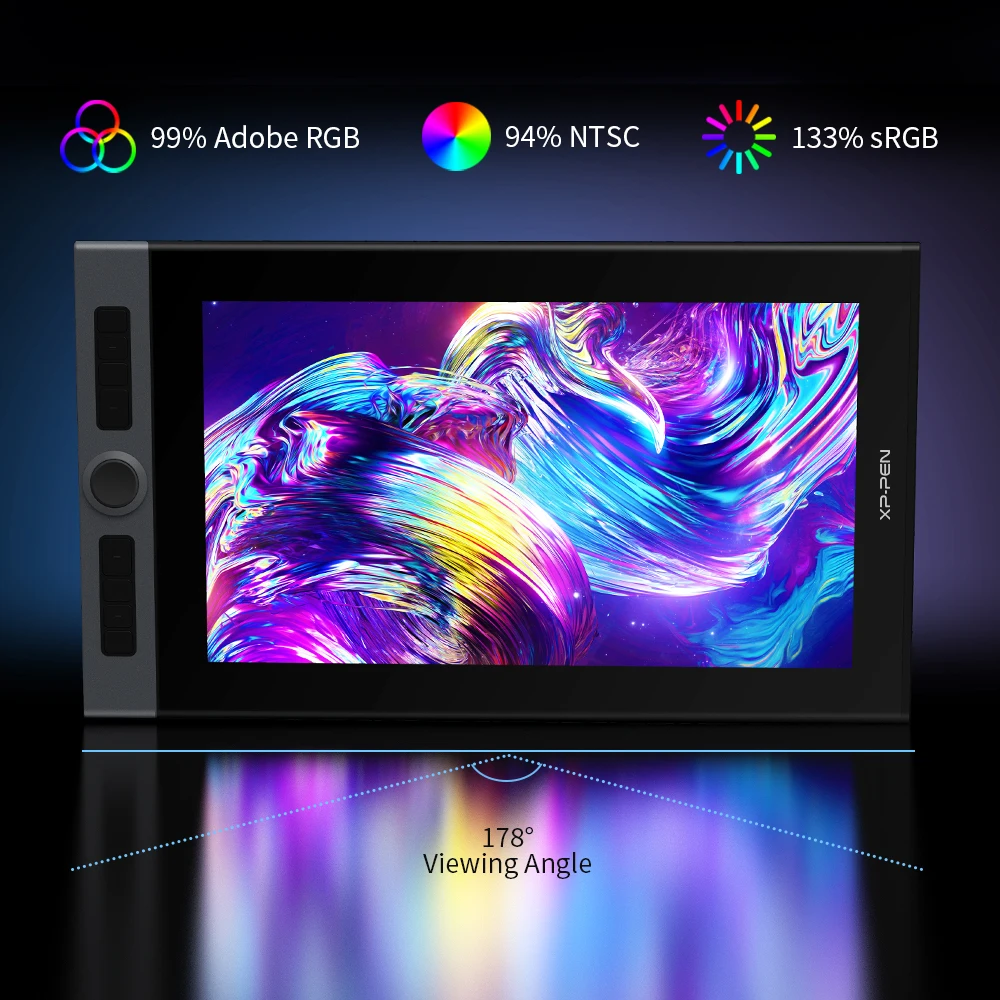
Here’s the thing — color coverage matters most when you’re painting, doing illustration work, or preparing assets that need to look consistent on other screens. This drawing tablet monitor lists a 133% sRGB color gamut, which signals a wide color range for richer hues and smoother gradients. That can be especially helpful for digital painting and graphic work where subtle transitions are part of the craft. And because it’s an IPS panel, you’re also aiming for stable viewing from different angles—useful if you shift posture or rotate the display during longer sessions.
Shortcut flow: 8 keys plus a wheel for muscle memory
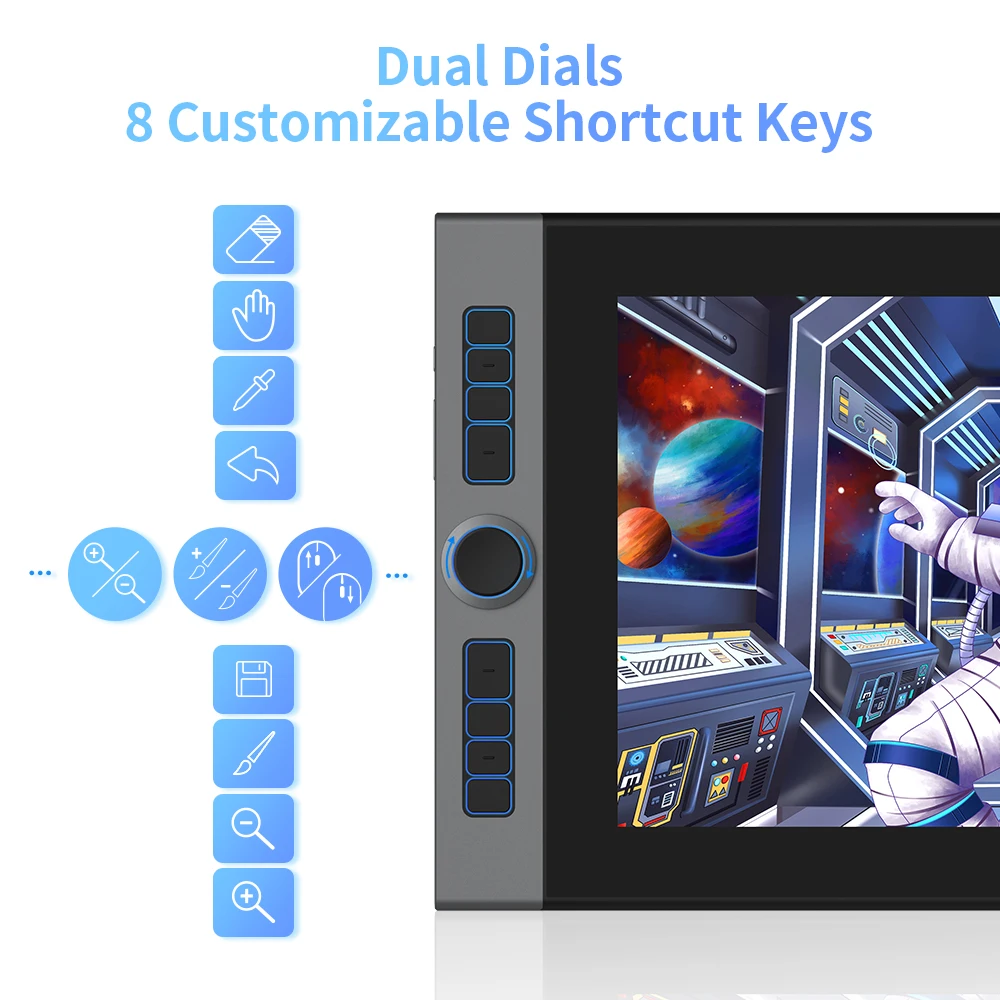
One of the big everyday wins on a pen display is speed. This XPPen Artist Pro 16 includes 8 shortcut keys and a single physical wheel. That combination typically suits common actions like brush sizing, zooming, undo/redo, or quick tool switching—anything you want under your hand without breaking focus. And when you’re building muscle memory, a tactile wheel can be faster than hunting for UI sliders.
- Display size: 15.6 inches (IPS)
- Resolution: 1920 x 1080
- Color gamut: 133% sRGB
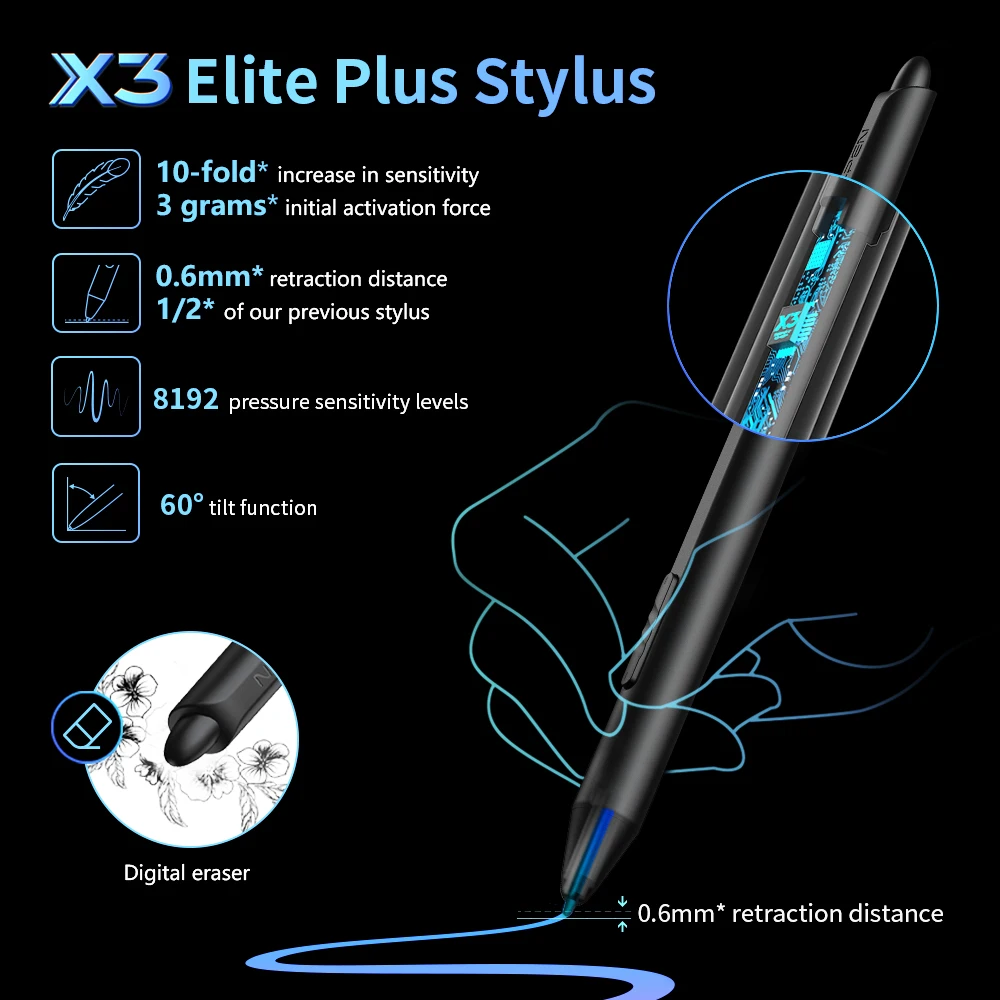
- Pen pressure: 8192 levels
- Tilt recognition: Yes
- Controls: 8 shortcut keys + 1 physical wheel
- Connectivity: USB-C
- Compatibility: Windows, Mac
- Dimensions: 16.1 x 11.5 x 0.5 inches; weight: approx. 1.5 kg
Small caveats before you commit
That said, this is a 1080p drawing display on a 15.6-inch panel—many artists will love the balance, but if you’re used to higher-resolution monitors, you may notice the difference when working with very fine UI elements. And Quick note: the listing highlights USB-C connectivity, so it’s worth double-checking your computer’s available ports and your preferred cable setup before ordering.
Where this XPPen drawing tablet monitor fits best
If you want a Windows/Mac-compatible graphic tablet monitor with a manageable footprint, strong color coverage, and hands-on controls, the XPPen Artist Pro 16 lines up well on paper. Honestly, the mix of 8192 pressure levels, tilt recognition, and shortcut hardware sounds tuned for long sessions where efficiency matters. If it matches your workspace and workflow, it’s a solid candidate to add to your cart and start drawing sooner rather than later.



Reviews
There are no reviews yet.