
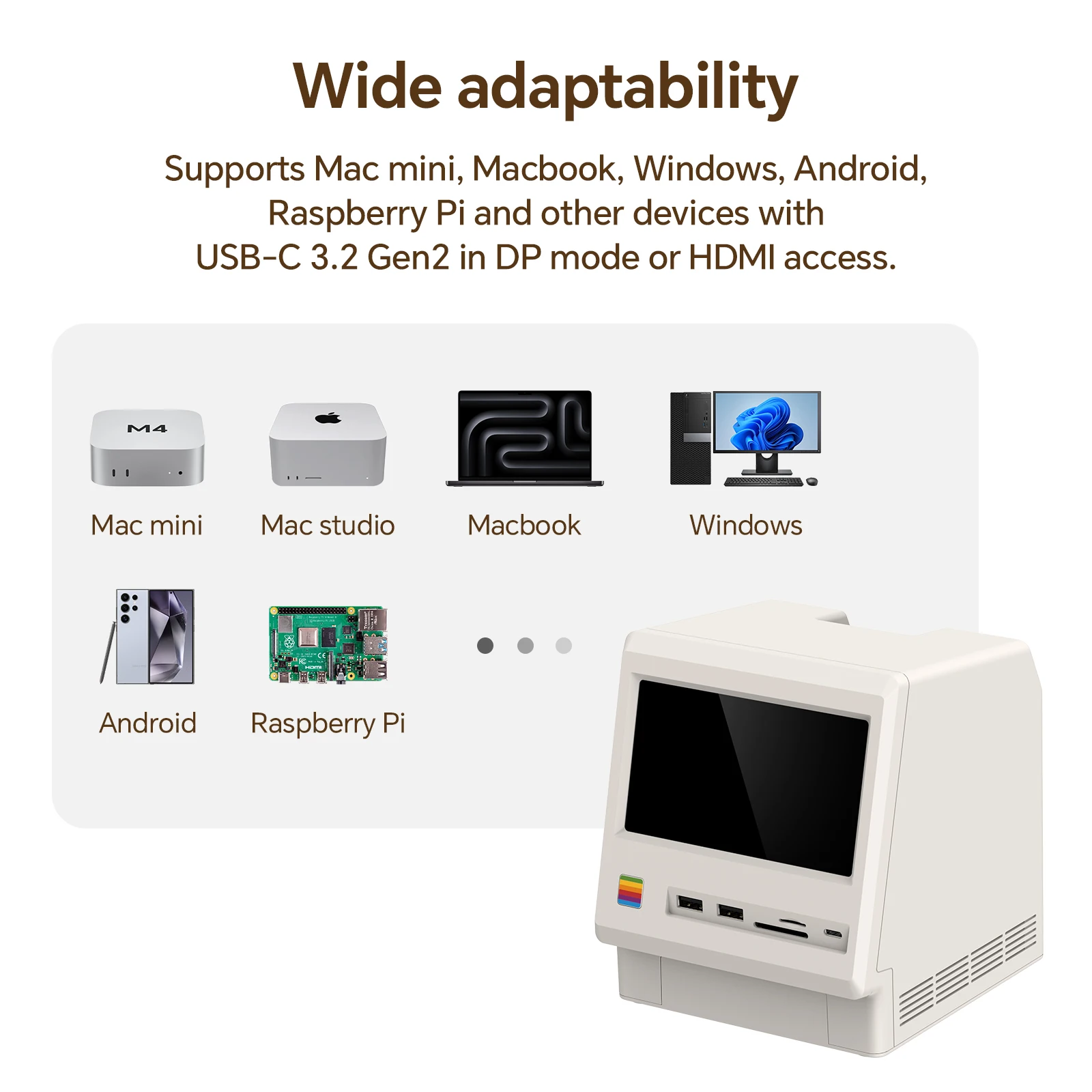
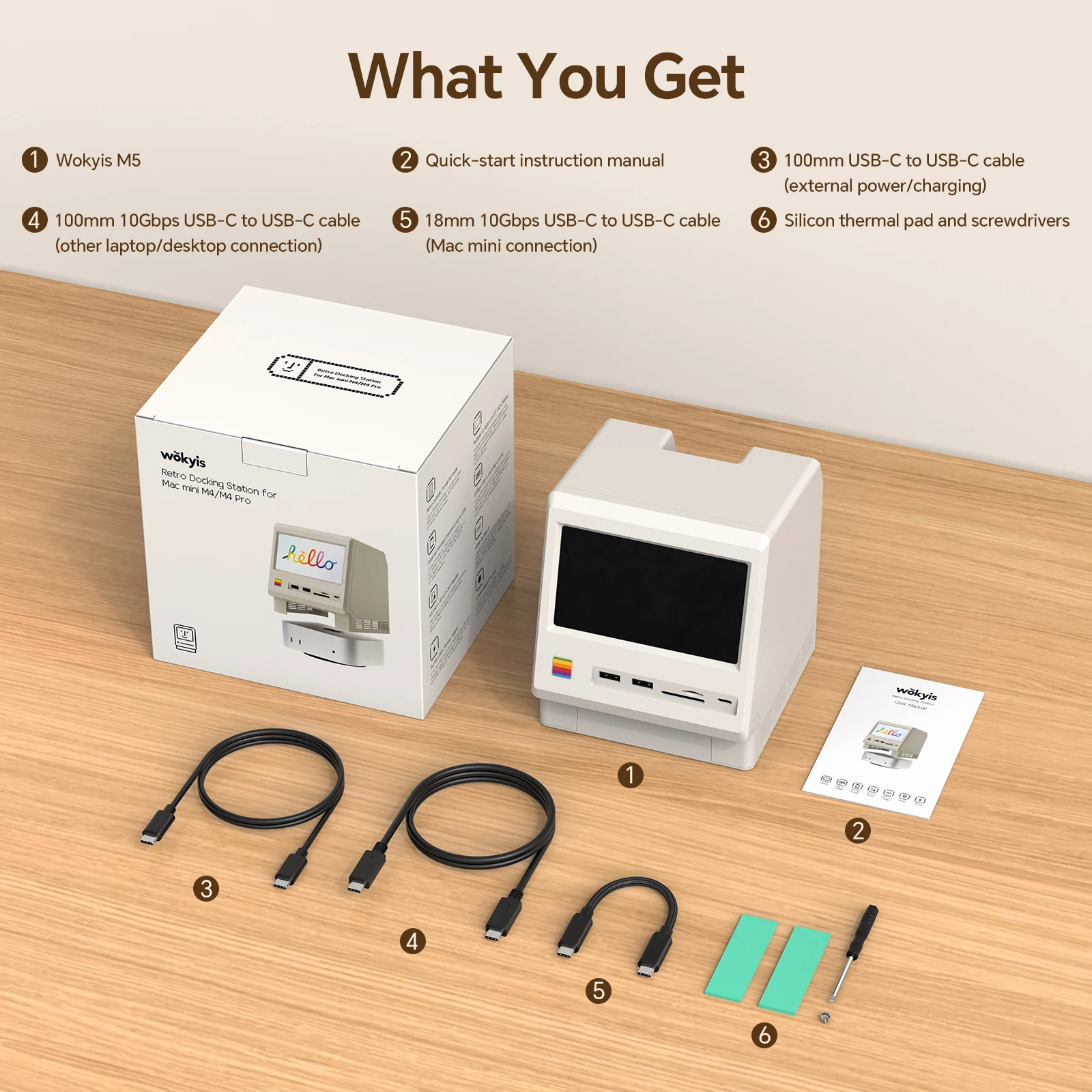
Ever wish your desk setup could do more with less—fewer cables, fewer adapters, and one small screen right where you need it? If you’re building around a Mac mini and you want a compact command center, a dock that doubles as a display can be an interesting direction.
A Dock With a Screen (Yes, Really)
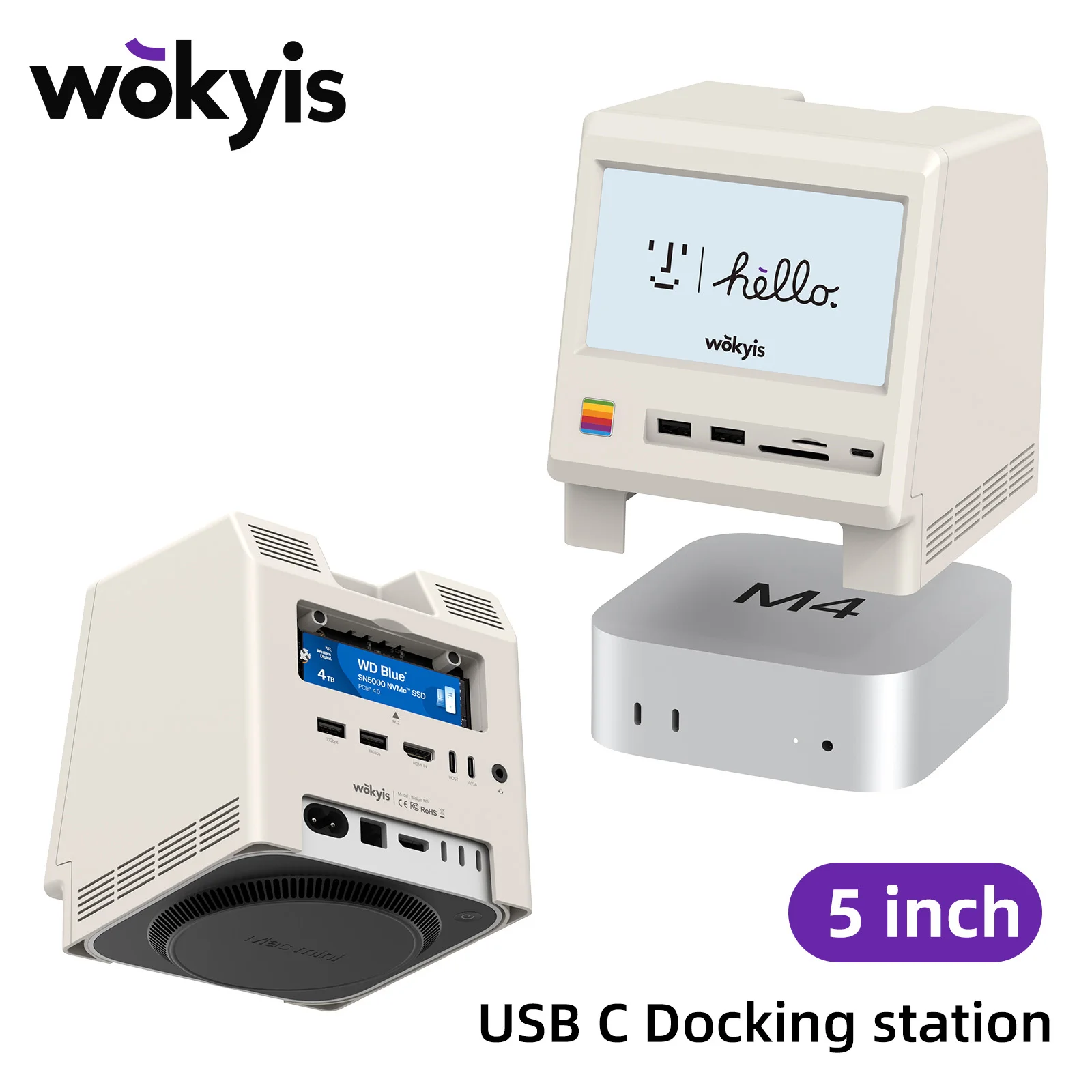
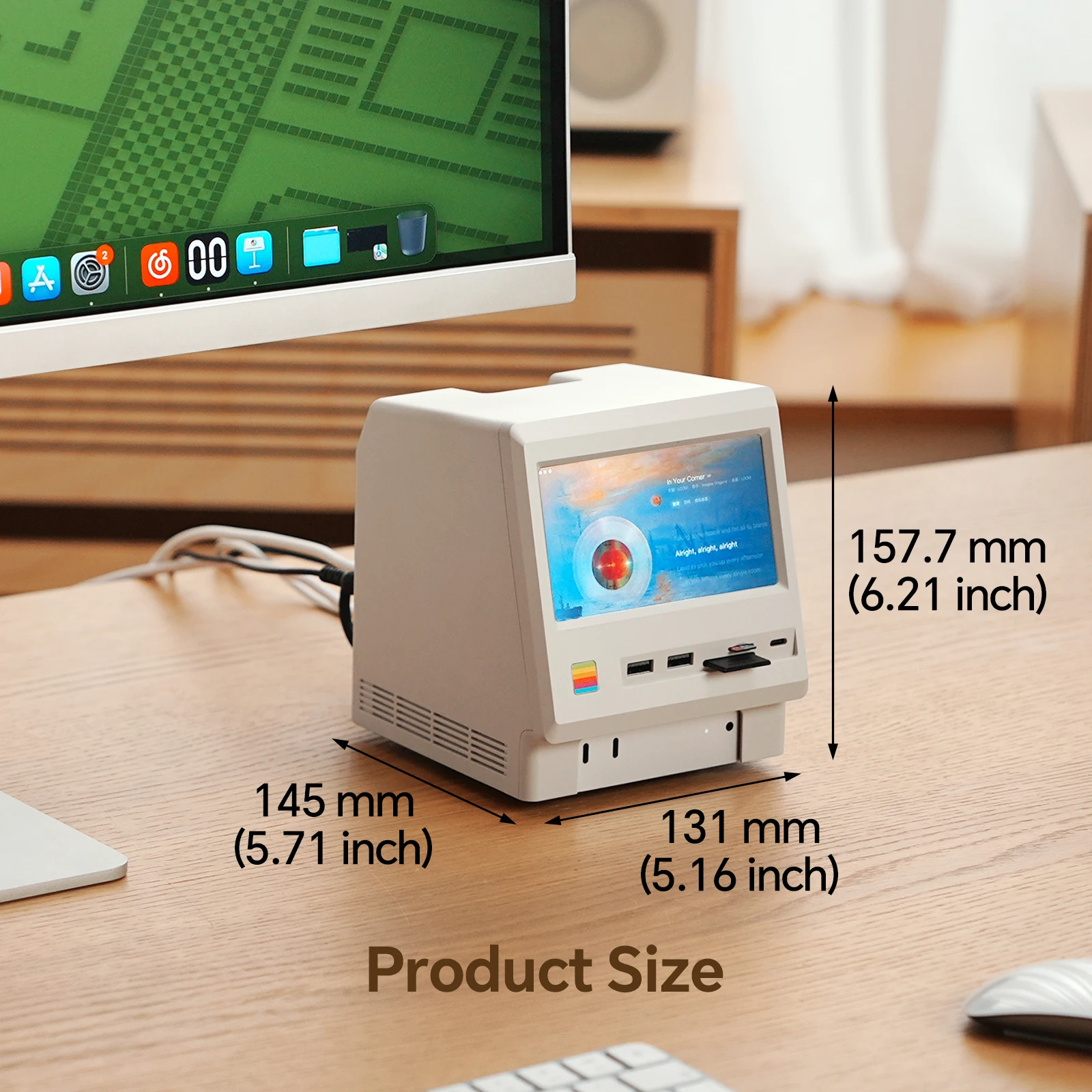
The standout idea here is simple: the Wokyis M5 10Gbps Mac mini M4 Dock combines a USB-C hub-style dock with a built-in 5-inch Full HD IPS screen. That means you’re not just adding ports—you’re adding a small monitor display at the same time. And if you’ve ever wanted a dedicated little panel for quick status checks or a secondary view, that’s a very specific kind of convenience.
Because it’s positioned as a Mac mini M4 dock, the naming suggests it’s meant to pair cleanly with that compact desktop vibe. But even if you’re just shopping for a USB-C dock with monitor display, the concept still holds: one accessory that merges display + connectivity into a single footprint.
Spec Highlights You Actually Care About
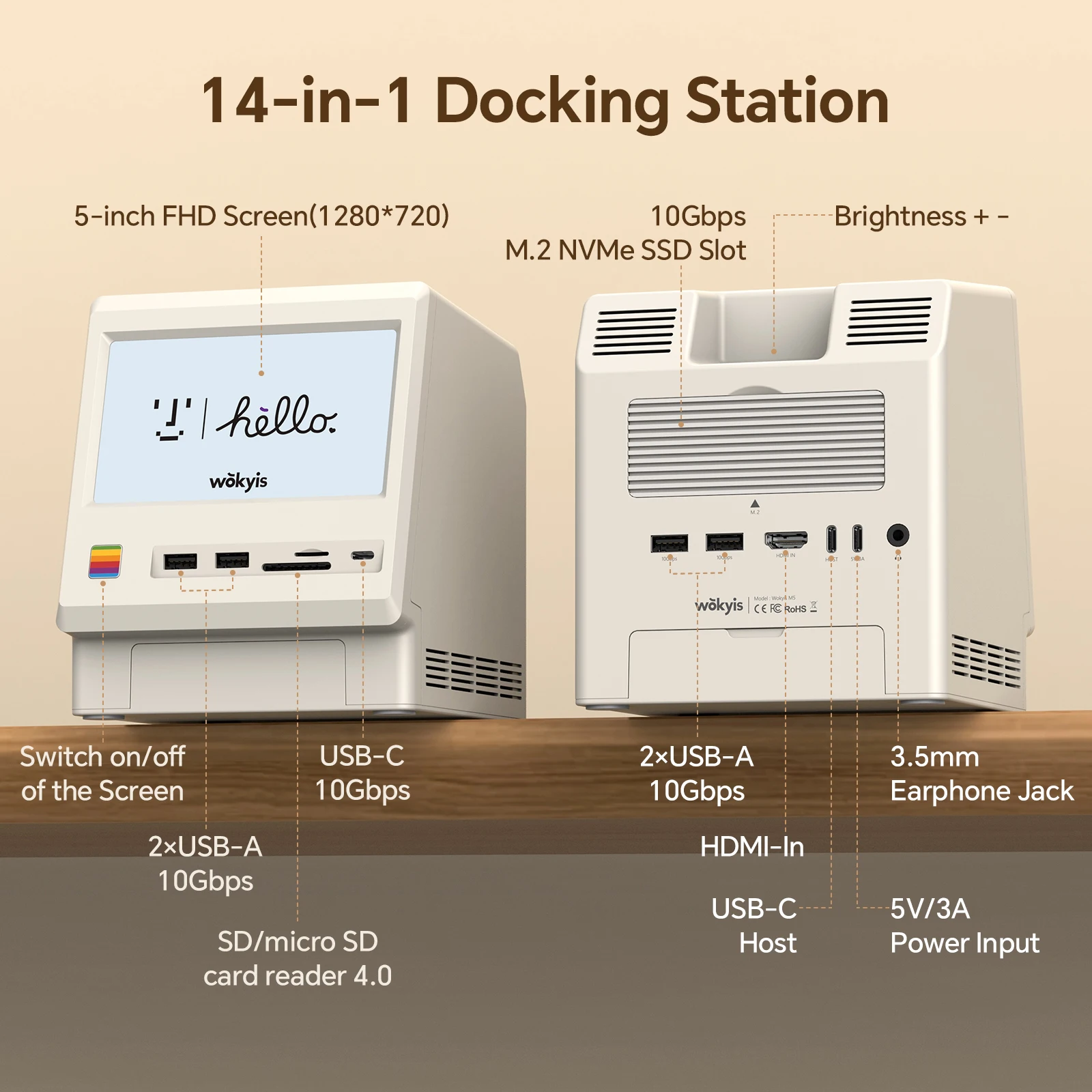
Based on the specs, the Wokyis M5 10Gbps Mac mini M4 Dock focuses on a few core numbers that matter day to day:
- Display: 5-inch screen
- Panel/Resolution: Full HD IPS
- Connectivity: USB-C
- Data transfer speed: up to 10 Gbps
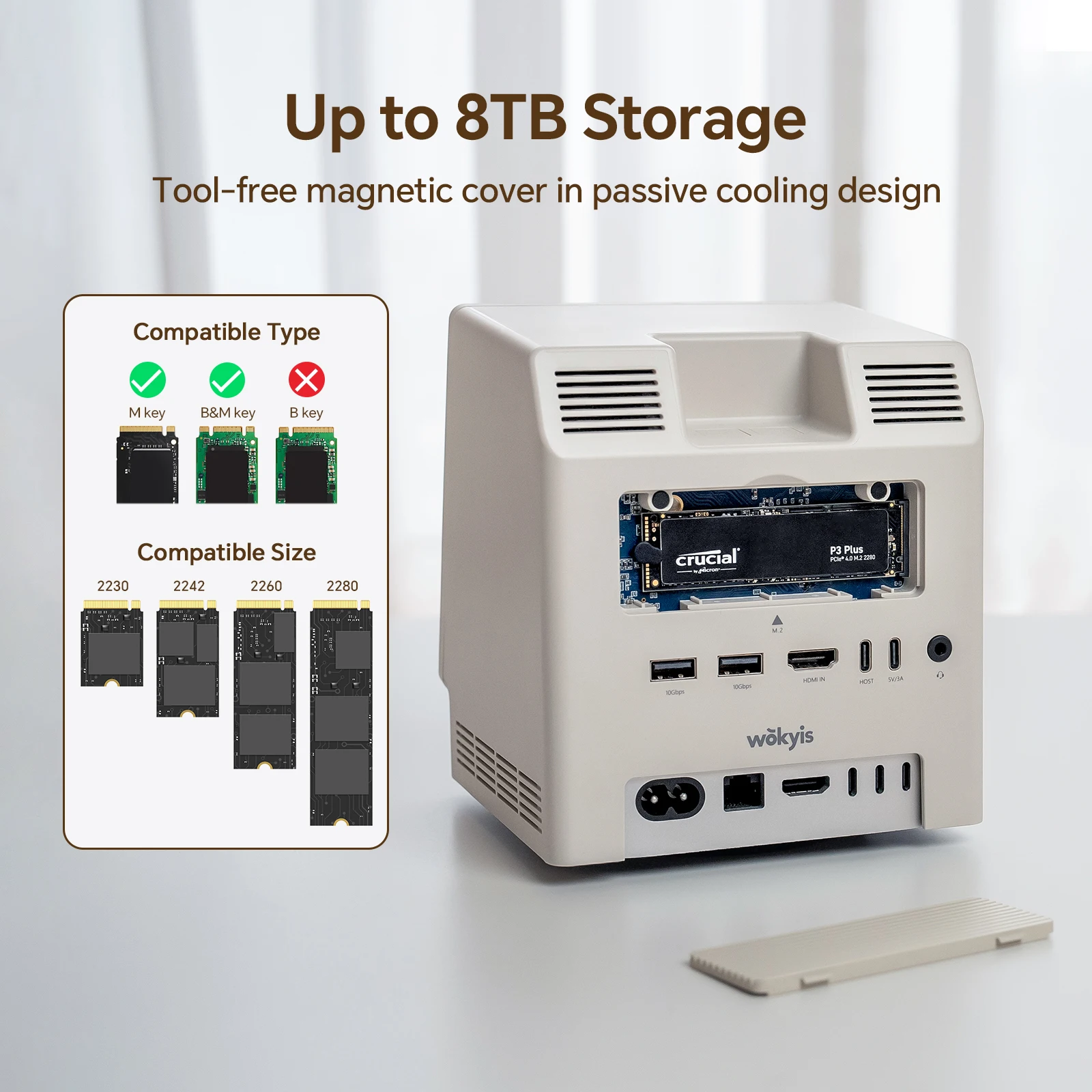
- Extra function: integrated M.2 SSD enclosure
Here’s the thing — the inclusion of an M.2 SSD enclosure turns this from “just a dock” into something closer to a compact expansion station. If you’re already managing external drives and adapters, integrating storage into the same unit can help reduce desk clutter.
Where This Combo Makes the Most Sense
Honestly, the appeal of the Wokyis M5 10Gbps Mac mini M4 Dock is how niche and practical it is at the same time. A small IPS display can be handy when you want an always-on mini screen nearby, and the 10 Gbps USB-C connection suggests it’s aimed at fast accessory and storage workflows. And the built-in M.2 SSD enclosure is a smart pairing with a dock format—storage is one of the first things many desktop users expand.
If you’ve been piecing together a separate USB-C hub, an external SSD enclosure, and a small monitor, a single Mac mini M4 dock like this could simplify the whole setup.
A Couple of Real-World Caveats Before You Click Buy
That said, a 5-inch Full HD IPS screen is intentionally small—great for quick info, less great if you’re imagining a roomy second monitor. But that’s the trade: compactness over size.
Quick note: the listing doesn’t spell out the M.2 capacity limits or which M.2 SSD formats are supported, so it’s worth confirming compatibility if you already have a specific drive in mind.
If the idea of a Wokyis M5 10Gbps Mac mini M4 Dock with a built-in display and M.2 SSD enclosure matches your setup goals, it’s a compelling all-in-one accessory to consider—especially if you value a tidy, consolidated Mac mini workspace.




Reviews
There are no reviews yet.