

You’ve got a sleek PC build with custom water cooling, RGB everything, and a glass side panel, but there’s always that one piece of data you wish you could keep an eye on without Alt+Tabbing out of your game: CPU temp, GPU load, fan speeds. Maybe you’ve even considered buying a dedicated little screen to show that info, but most small monitors are either too expensive, too awkwardly shaped, or require too much tinkering. That’s where this 8.8-inch HDMI touch screen enters the chat.
The Shape That Actually Makes Sense for a Sensor Panel
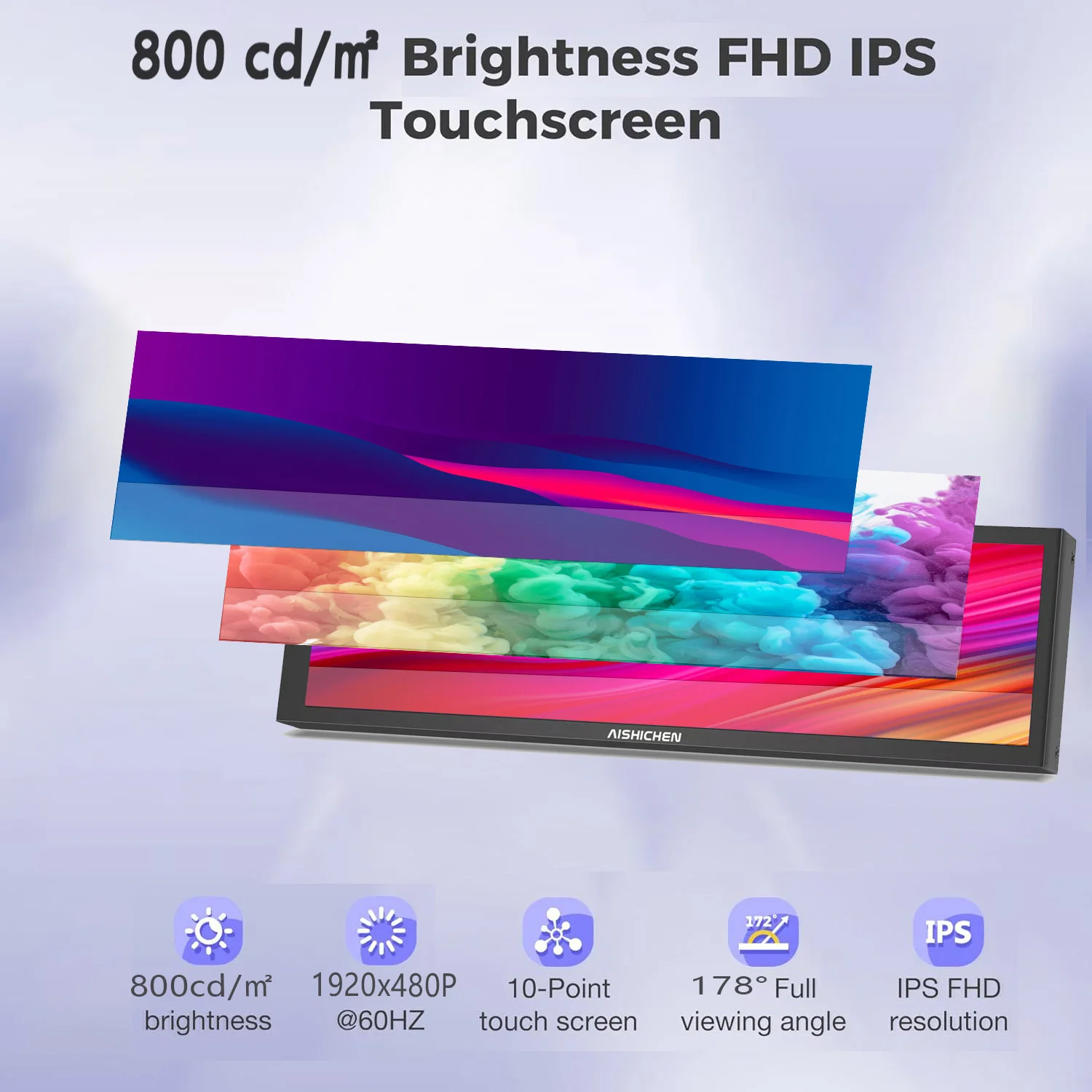
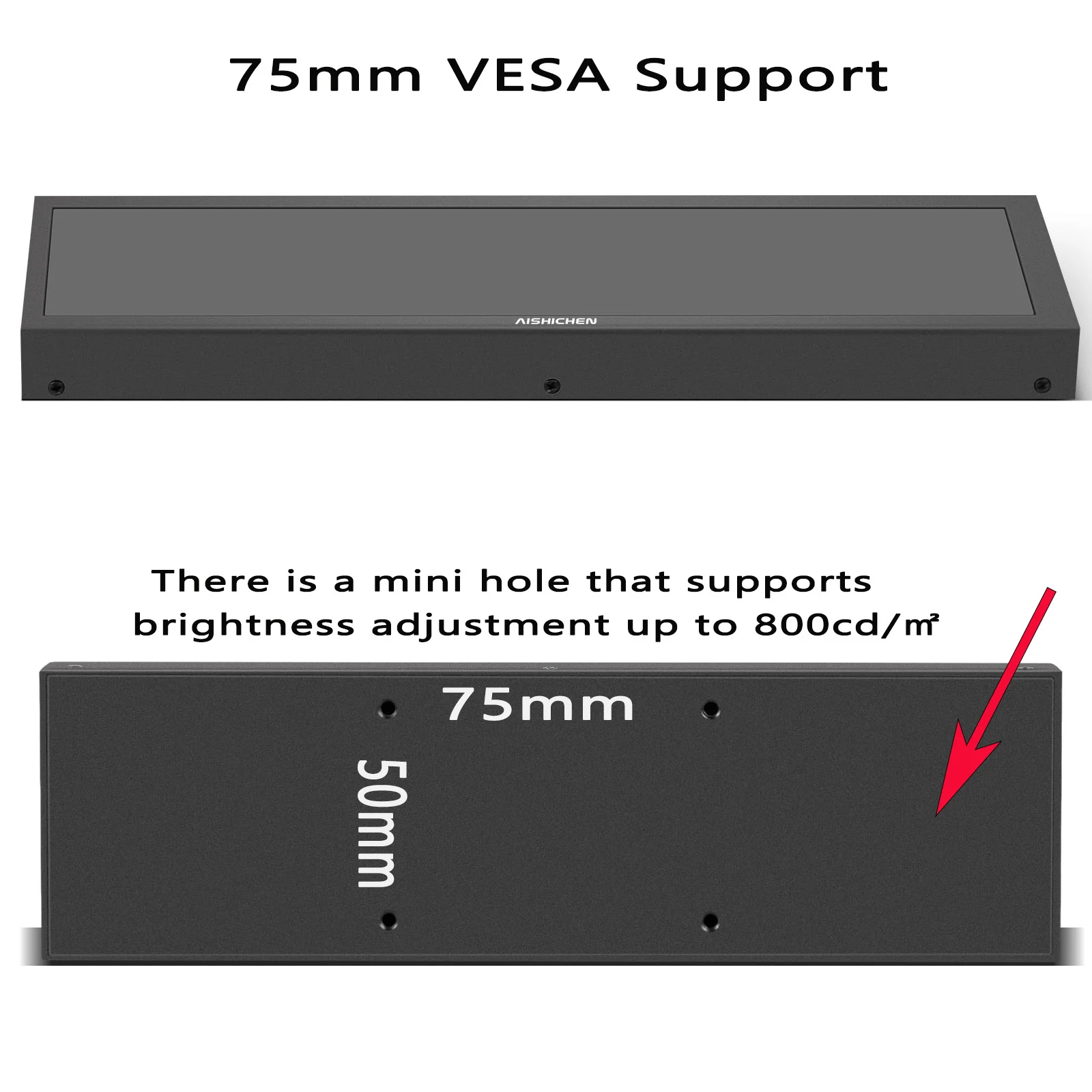
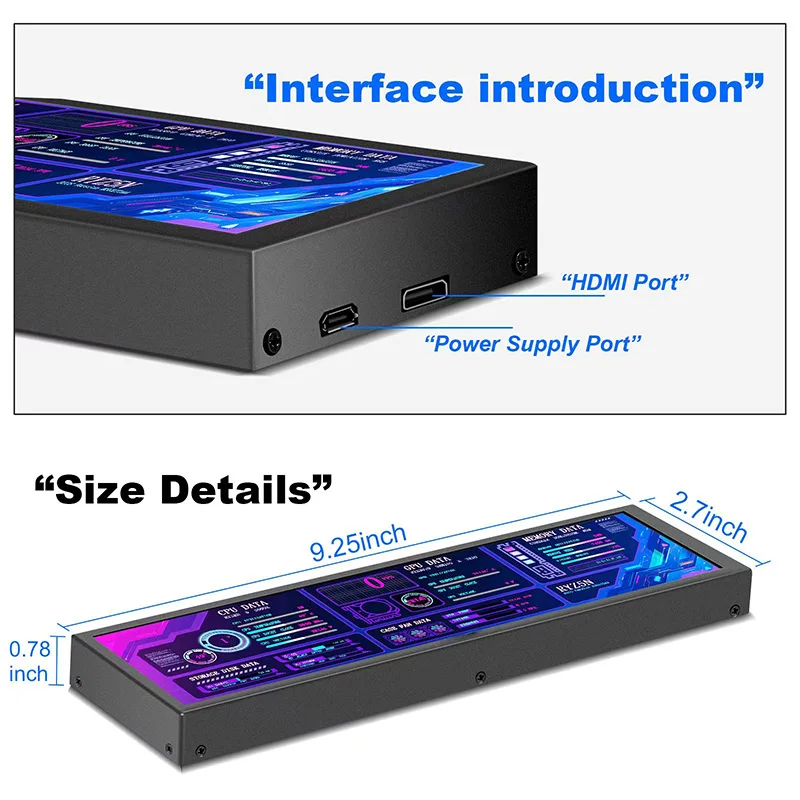
At first glance, the aspect ratio on this thing jumps out at you. It’s not your typical square or 16:9 display—this one runs a long, skinny 1920 x 480 resolution that’s roughly 4:1. Honestly, that’s a brilliant form factor for a secondary monitor. It fits perfectly along the bottom of a dual-monitor setup, slots into a 5.25-inch drive bay, or sits neatly under your main screen. The included case means you don’t have to DIY an enclosure, which saves a ton of headache. And because it supports both a desktop stand and VESA mounting (depending on the case design), you’ve got some flexibility in where you place it.
Touch, Software, and the Real-World Setup
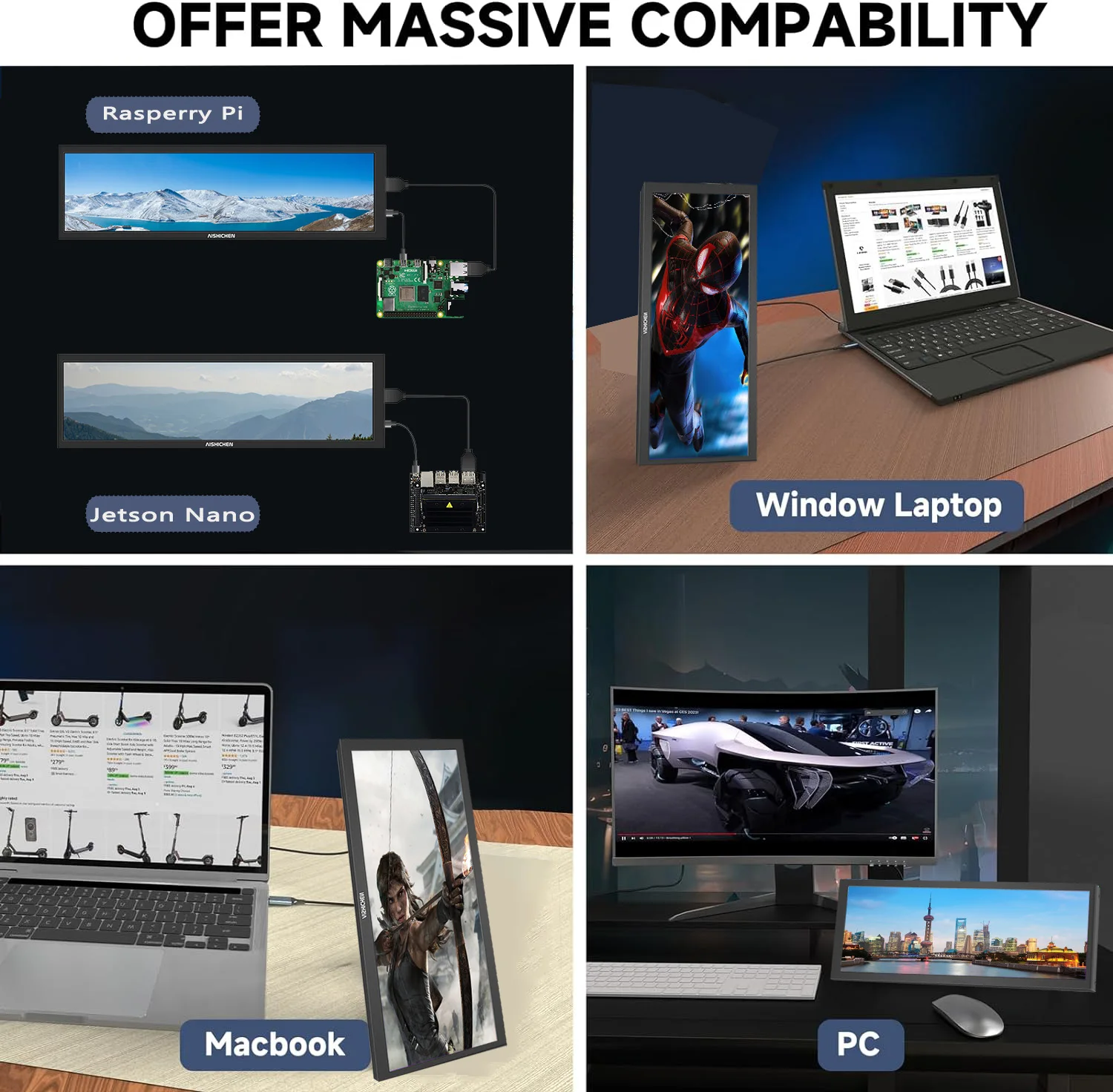
Here’s the thing — this isn’t just a dumb display. The capacitive touch screen means you can interact with whatever you throw on it. Want to tap to switch between sensor panels? Or use it as a tiny control surface for media playback? That’s possible. The listing confirms it works with AIDA64 and HWiNFO, which are the go-to tools for PC monitoring dashboards. It’s plug-and-play via HDMI on Windows, Linux, and macOS, and it’s USB-powered, so you won’t need an extra wall wart. One thing to note: the included cables are usually around 0.5 to 1 meter long, so make sure your PC case or desk layout can accommodate that short reach.
A Couple of Honest Caveats Before You Click Buy
Fair warning: the listing doesn’t specify the exact brightness or color accuracy specs, so if you’re expecting a vibrant, high-nits display for photo editing, this probably isn’t it. This is a utility screen first, an extender monitor second. Also, because it’s a niche product with a specific aspect ratio, some software might not scale perfectly out of the box—you’ll likely need to tweak your sensor panel layout in AIDA64 to match the 4:1 ratio. But that’s a one-time setup task, not a dealbreaker.
Another realistic catch: the price point is very aggressive for an 8.8-inch touch screen with a case, so don’t expect premium build materials. The enclosure gets the job done, but it’s not going to win any design awards. For what it’s worth, that’s a trade-off most builders will gladly accept.
Who Actually Needs This in Their Life?
If you’re a PC enthusiast who loves tinkering with sensor panels, a streamer who wants a dedicated chat or stats display, or just someone who hates covering up their desktop widgets with open windows, this monitor makes a lot of sense. It’s also handy as a small extender screen for a Raspberry Pi or a portable secondary display for a laptop. The touch functionality adds a layer of convenience that a standard non-touch panel simply can’t match. And since it’s compatible with all major operating systems, you’re not locked into one ecosystem.
But if you need a high-resolution color-accurate screen for professional design work, or you want a large primary monitor, this isn’t that product. It’s a specialized tool for a specific job, and it does that job well.
So, is this the missing piece for your ultimate PC monitoring setup? Based on the specs and the included case, it looks like a solid, affordable way to keep your system stats always visible. If you’re ready to give your desk that extra bit of functional flair, it might be time to add one to your cart.




Reviews
There are no reviews yet.